

AI RECEPTIONIST FOR JANE APP
Your Jane App clinic.
More time for hands-on care.
An AI receptionist for the calls between treatments. MEDI helps patients find their next visit, with your services, practitioners and booking policies guiding the conversation.
 MEDI + Jane App
PATIENT CALLING
“Could I book a physio follow-up?”
YOUR CLINIC’S BOOKING RULES
Returning patient · 30 minutes · Preferred practitioner
THE APPROVED NEXT STEP
A supported action, or a clear handoff to your team.
INCOMING CALLS & APPOINTMENTS
The right treatment.
The right time in Jane.
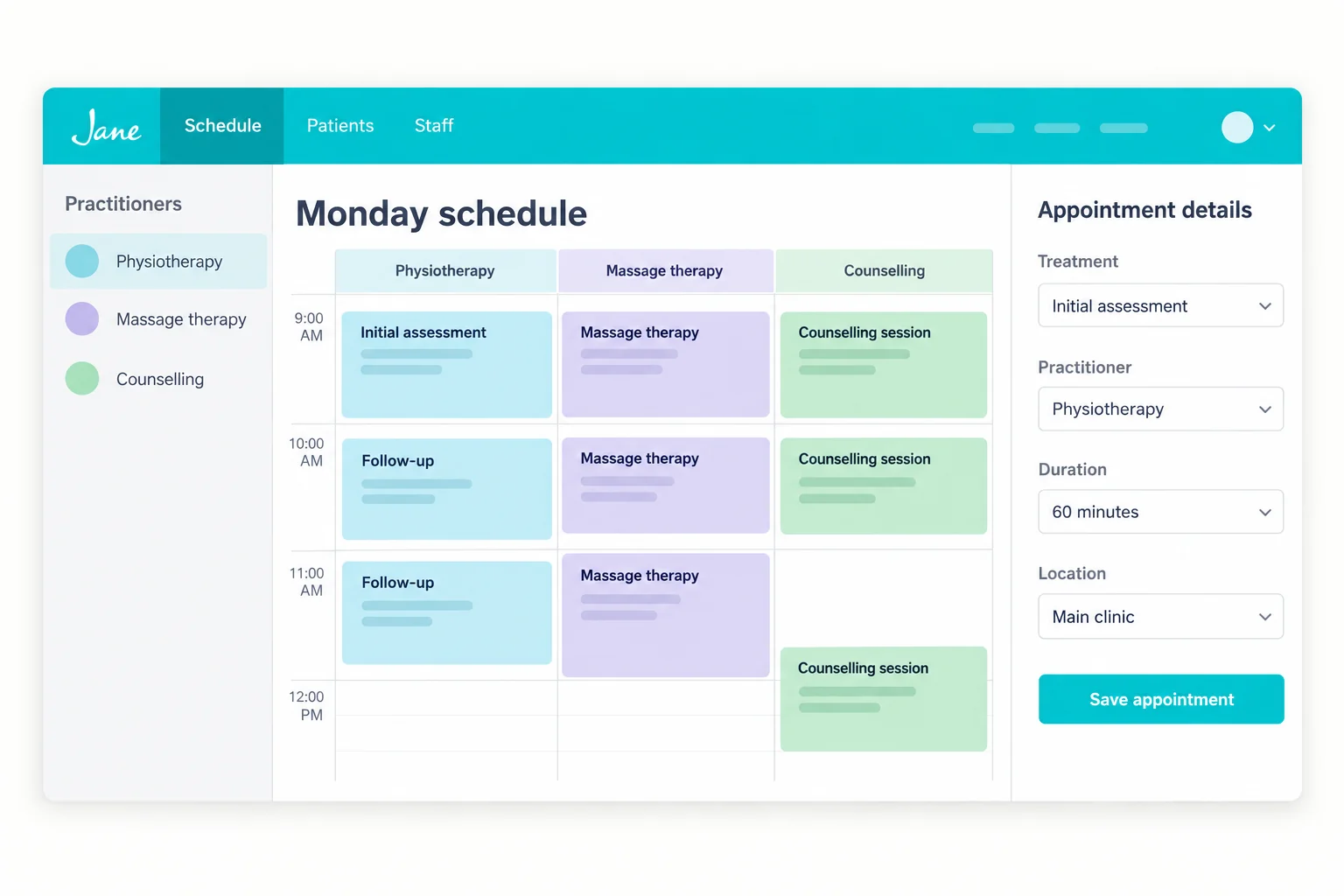
An initial assessment needs a different slot from a follow-up. Map your Jane treatments, practitioner availability and session lengths into a clear phone-booking workflow.
- Distinguish new assessments, follow-ups and the discipline the patient needs.
- Match the practitioner, treatment duration and clinic location.
- Respect your notice periods and cancellation policy; send exceptions to staff.
Keep reception moving while practitioners stay with the patient in the room.
Explore incoming callsPATIENT OUTREACH
Keep the next visit
in the care plan.
Follow through on clinic-approved lists of patients who need another appointment. MEDI can call or text about continuing care and collect requests for your team.
- Physio follow-up due
- Cancelled massage visit
- Chiropractic recall
Support continuity without giving treatment advice or deciding how often a patient should return.
Explore patient outreachPatient outreachVoicemail → SMSNEW VOICEMAIL
“Can I see the same physiotherapist again?”
READY FOR THE NEXT STEP
The right context for your front desk.
SMART VOICEMAIL & PATIENT SMS
A missed call.
A useful next conversation.
When a patient calls during treatment hours, pick up the conversation by text. Clarify which service, practitioner and location they need before arranging the next step.
- Capture the request and the details your team needs.
- Use clinic-approved answers and administrative instructions.
- Keep clinical questions and exceptions with the right staff.
Keep patients informed and give your reception team clearer next steps.
Explore voicemail & SMSCONFIGURED AROUND YOUR PRACTICE
The details matter.
Make them part of the workflow.
Your Jane App setup is specific to your clinic. We review the connection, booking policies and handoff instructions together, then test the supported actions with your team.
The rules your team uses
Start with real appointment types, provider preferences and administrative instructions.
The actions your setup supports
Confirm availability, permitted changes and how the result reaches your staff.
A clear place for exceptions
Define when a request needs staff review and what context should go with it.
Treatments & practitioners
Map the services each practitioner offers, assessment lengths and follow-up durations.
Availability & policies
Review locations, shared resources, booking notice and cancellation rules for the agreed workflow.
Connection & handoffs
Confirm the available Jane connection, supported actions and where requests needing staff review should go.
START WITH YOUR PRIORITY
One useful workflow.
Room to grow.
- 01
Bring a familiar scenario
A routine booking, a follow-up request or a missed call your team handles often.
- 02
Review your Jane App setup
Confirm access, available actions, booking policies and staff handoffs.
- 03
Test the whole next step
Check the patient conversation, the supported action and the information your team receives.
MEDI + JANE APP
Your questions,
answered.
Can MEDI support a multidisciplinary Jane clinic?
Yes. The conversation can distinguish your disciplines, treatments, practitioners and locations. We confirm the supported scheduling actions and access for your Jane setup before launch.
How do we configure MEDI for our Jane App booking rules?
We map your appointment types, providers, durations, locations and staff instructions, then review access and supported actions for your connection. Test a routine request, a change and an exception with your team before launch.
Can we begin with one workflow?
Yes. Start with overflow calls, missed-call follow-up or one clinic-approved outreach list. Agree the scope and handoffs, then review the results with your team.
Does MEDI make clinical decisions?
Clinical advice, urgency decisions and treatment plans remain with your care team. MEDI follows the administrative instructions and escalation rules your clinic approves.