CANADIAN-MADE. PATIENT-FOCUSED.
Built here.
For the way you care.
MEDI helps Canadian clinics connect patient calls, booking, intake, and follow-up with their existing systems and clinic-approved workflows.
CARE, CONNECTED ACROSS CANADA
Supporting care.
In seven provinces.
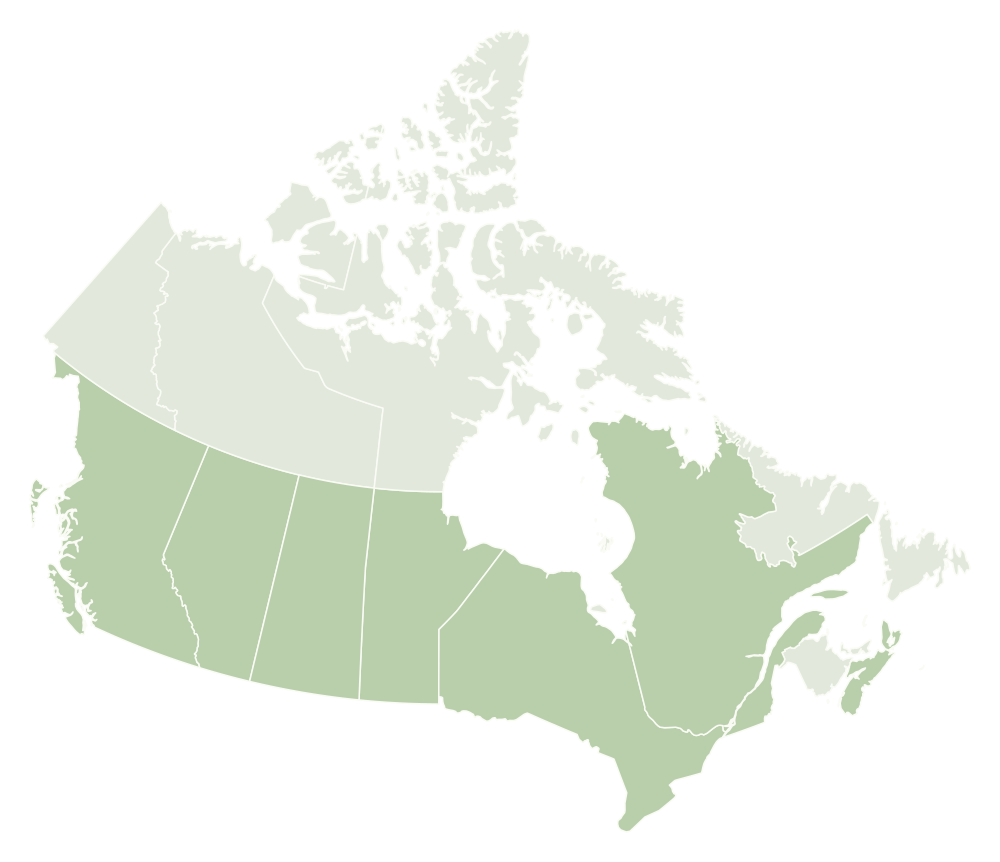

- BC
- AB
- SK
- MB
- ON
- QC
- NS
Canadian-made technology, Canadian servers, and workflows shaped around Canadian medical practices.
YOUR EMR STAYS THE SOURCE OF TRUTH
Fits the systems
your team already trusts.
Patient calls, scheduling, and follow-through.
Connected to the tools you use every day.








Available workflows depend on your system and configuration.
HEALTHCARE TRUST. BUILT INTO THE WORK.
Patient information.
Handled with care.
Review MEDI’s approach to privacy and security, with provincial PIA documentation to support your clinic’s assessment.
Explore privacy & safety HIPAAPrivacy & security
 PIPEDACanadian privacy
 SOC 2 Type IICompliance underway
Provincial PIA documentation
Prepared by MEDI British ColumbiaCompleted PIA
 AlbertaCompleted PIA
 OntarioCompleted PIA
A FEW USEFUL ANSWERS
Clear expectations.
A better fit.
Does MEDI replace staff?
MEDI supports routine administrative workflows within your clinic’s rules. Requests that need clinical judgment, a sensitive conversation, or human help go to your team.
Can patients ask for a person?
Yes. Your clinic defines the handoff destination, the context shared with staff, and what happens if a live transfer is unavailable.
Does MEDI work with our clinic systems?
Available actions depend on your supported connection and clinic configuration. Explore integrations, then review your specific workflow with our team.
How should we evaluate a workflow?
Review completed actions, unresolved requests, handoff quality, and patient experience. The downloadable worksheet provides 15 synthetic scenarios for your team to test.